Set one objective
Describe the result you need. Mobius keeps that objective unchanged for the full run.
mobius run "Fix the checkout tests"Mobius repeats one coding task until the agent reports completion and your project checks pass.
pipx install mobius-agent
Example
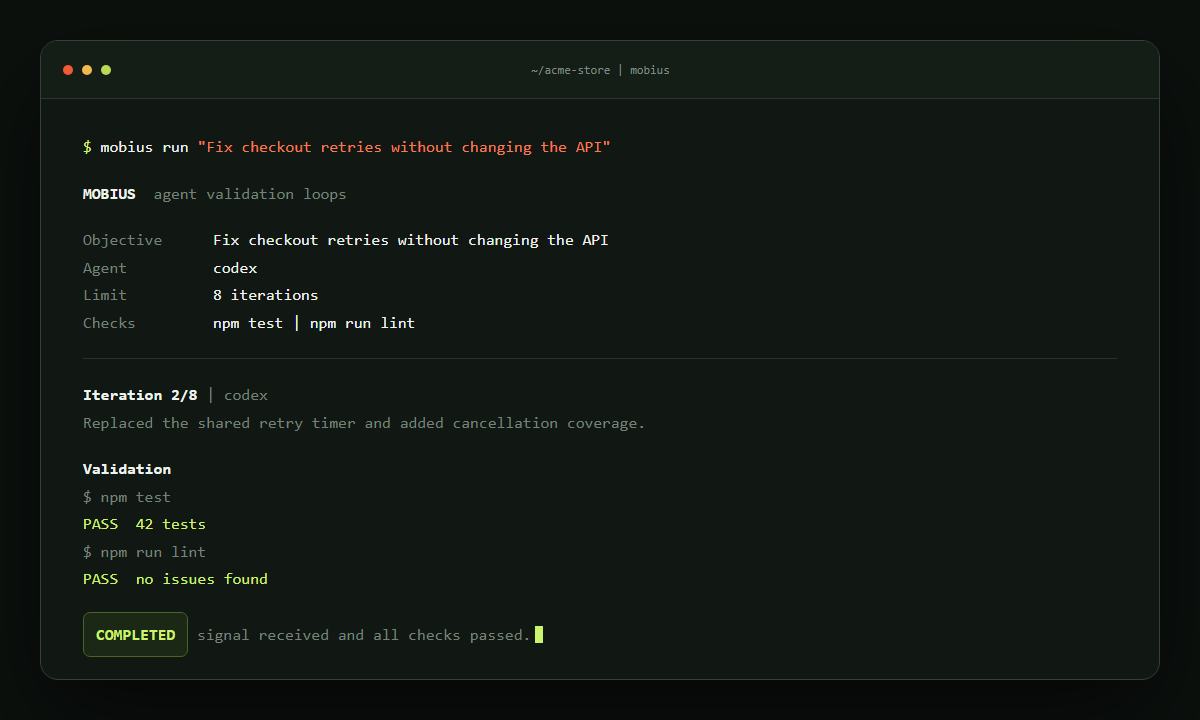
Mobius keeps the objective unchanged between turns. A run completes only when the agent signal and every configured check pass.
How it works
Mobius runs outside the agent. It sends the same objective on each turn, runs your checks, and records the result.
Describe the result you need. Mobius keeps that objective unchanged for the full run.
mobius run "Fix the checkout tests"Use a built-in adapter or configure another command. Iteration and process limits apply to every run.
--agent claudeThe agent signal and every validation command must pass. Failed output is included in the next turn.
--check "python -m pytest"Run control
Mobius runs in the foreground. Each run has an iteration limit, process timeout, and project-local state file.
.mobius/--dry-runOutput remains visible and the run stops when the process exits.
Use the test, lint, type-check, or build commands your project already trusts.
JSON state stays in .mobius/ and can be inspected, resumed, or removed.
Quick start
Install with pipxpipx install mobius-agent
Detect your project checksmobius init
Start the loopmobius run "your objective"
Review the configuration, preview the prompt, and start the run.
Read the documentation